




Server Rack Wire Management
It’s not until the temperature alert sounds that you realize you’ve got a cable management problem in a rack. Otherwise, the free-for-all network of wires that has been choking airflow around your servers for weeks would have gone unnoticed and turned a 20-minute job into a half-day exercise just to sort out the cables. This paper describes the range of choices available, their advantages and disadvantages, the applicable laws and regulations and lastly how to implement them in a 42 U cabinet.
There are two vertical cable organization devices located at the sides of the rack. There is also a horizontal manager, which could be either 1U or 2U, between the patch panels. Velcro ties allow for installations using temporary setups, while tying up cables is only a solution to a permanent installation. Accumulation of cables could create an issue by increasing the chance of air circulation problems by 40%, and the incoming air temperature might go up by 10° C if the rack is not sealed properly. Either way, data cables have to be allowed a distance of at least 3 in (76 mm) from the power cables or 6 in (152 mm) when higher AC power is supplied.

Why This Is an Engineering Problem, Not Housekeeping
Three figures make a stronger point than any statement made about looks.
- Airflow. The findings of airflow studies and audits of data centers indicate that bundles of cables, which obstruct perforated rack panels or interrupt the flow of air between racks, decrease airflow by anywhere from 20 to 40%, depending on the size of the bundle, the way in which it is routed, and the rack’s fill. A 2U horizontal manager with a mess of cords is essentially a copper board.
- Intake temperature. Findings in the ASHRAE TC 9.9 guidelines show that unsealed racks can cause an increase in intake temperature of servers by 5 to 10 degrees Celsius. Every degree of unnecessary intake temperature means wasted energy.
- Change time. The cost of changing things such as cable routing is a real cost not often included in the calculations. When cables are routed directly to the racks, changing out a server means removing all the cables to and from the server so that they can be replaced. With proper cable management, replacing a server can be done in a fraction of the time.
What has been described above has nothing to do with looks but everything to do with airflow, temperatures, and labor.
The Options, Side by Side
More people are surprised at how many products are in existence in this category. The table below compares the most popular products based on how the various criteria influence an appropriate decision.
| Option | Best for | Weakness | Reusable |
|---|---|---|---|
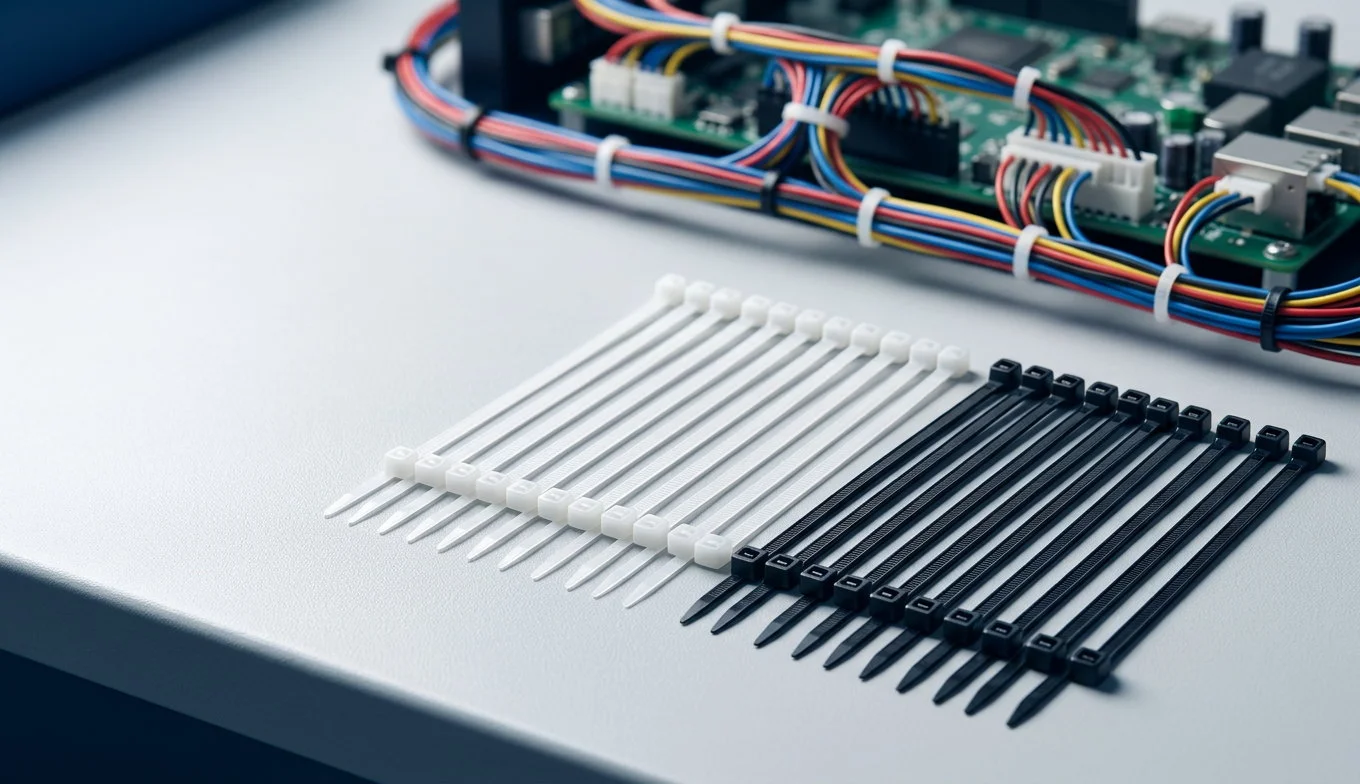
| Nylon cable ties | Permanent, static runs behind the rails | Cannot be adjusted; over-tightening damages cable | No |
| Hook-and-loop (Velcro) ties | Any run that will be changed | Higher unit cost; bulkier on dense bundles | Yes |
| Stainless steel ties | High temperature, UV, vibration, permanent | Expensive; sharp edges; needs a tensioning tool | No |
| Mountable / screw-mount ties | Fixing bundles to a surface instead of to each other | Needs a mounting hole or adhesive base | No |
| Magnetic ties | Temporary cable holding on a steel rack or panel | Weak holding force; steel racks only | Yes |
| Lacing bars and D-rings | Horizontal runs at the panel face | Requires ties to actually secure the cable | Yes |
| 1U / 2U horizontal managers | Between patch panels, front-of-rack routing | Consumes rack units; can obstruct if overloaded | Yes |
| Vertical cable managers | Full-height side routing, hot and cold side | Consumes width; deep managers needed for fiber | Yes |
| Cable trays / ladder racks | Overhead or underfloor inter-rack runs | Capital and installation cost; capacity planning needed | Yes |
| Spiral wrap / split loom | Protecting a single cable or small bundle in transit | Traps heat; hides damage; hard to re-enter | Partly |
| Raceway and brush grommets | Sealing cabinet roof and floor openings | Passive; does not organise anything by itself | Yes |

Cable Ties: Right Product, Right Place
Cable ties are the cheapest type of tie in the rack and perhaps the most maltreated. If done right, their use represents the correct solution for terminal runs behind the racking of which nothing will move. If performed incorrectly, cable tie usage can be the cause of a cable failing tests of certification.
There are three decisions to consider. First, which material to use? Nylon 6/6 is the standard, while stainless steel ties are used when there is a risk of the nylon getting damaged due to temperature, UV-radiation or vibration. Second, there is the question of tensile strength. Mini and standard ties can handle 18-50 lb, intermediate ties — 50-75 lb, and heavy duty ties can take up to and above 175 lb. Cat6A, for example, does not require a heavy duty tie capable of withstanding 175 lb of weight. Lastly, there’s tension. Tension is what results in the most serious consequences. When tension becomes too high, this leads to the deformation of twisted pair geometry inside the twisted pair cable and, hence, leads to the decrease in alien next end crosstalk parameters — the type of measurement of which Cat6A is tested for up to 500 MHz.
For something to be installed in the air handling area, it has to comply with plenum requirements.Working out what plenum rated cable ties are and where the rating applies is worth doing before the first tie goes on, because it is far cheaper to get right at design stage than to remove from a live rack.When connecting a bundle to a rack system instead of another cable, it is a case of use of mountable tie with a screw or adhesive base instead of looping through a perforated panel.
Hook-and-Loop: The Default for Anything That Moves
A rule that can always be applied to cabling is that anything which may be changed should be secured with hook-and-loop, rather than a tie. Hook-and-loop straps allow for reuse, adjustment and the easy process of disconnecting and reconnecting, without cutting anything.
The downside is the price of the product and the bulk. A hook-and-loop strap is several times more expensive than a nylon tie, and, in a tightly packed bundle it’s possible to measure the increase in thickness of the bundle. Nonetheless, neither should concern us in the rack since front-of-rack cabling needs to be replaced every time a new server is installed.The full range of styles — continuous roll, pre-cut straps, cinch straps, and the wide versions for large bundles — is described in this overview of hook and loop cable ties.
An effective separation method that can be adapted in nearly all racks is the use of a hook and loop on everything that can be touched from the front and cable ties along the back of the trunk that has a fixed number of cords in place and that will remain untouched.
Structured Pathways: Vertical, Horizontal and Overhead
Managers perform the routing task that cables cannot perform. Three levels of management are significant.
Horizontal Management. When using 1U or 2U managers, protection of the patch cords in the patch panel should come from maintaining the bend radius of the cord according to TIA-568.2-D specifications. The minimum bend radius for twisted pair cables has to be equal to four times the diameter of the cable and is often broken at the panel face. It is better to install managers every 1U to 2U of your panel rather than trying to cover the entire rack with only one manager system.
Vertical Management. Using full-height managers you should connect horizontally the patch cords from racks to the ceiling, to the floor, or to adjacent racks. You can use finger style or D-ring managers, with the only difference in width of the rack, 100 mm being the minimum and 100 mm being necessary. Here again, if you plan to use Cat8 cabling or OM5 fiber, having a 100 mm channel is quite obligatory.
Ladder racks and cable trays. There are used for crossing traffic both above racks and underneath raised floors. According to TIA-942-B standards, cable trays above equipment should have their filling not exceeding 50% of capacity so that plenum airflow could be saved. Using such trays fully loaded with the cables is as wrong as overloading the manager.
Fiber is worth a note due to the following reasons. OM3 has a macrobending radius of 7.5 mm, while OM4 and OM5 are bending even more tightly. Thus, if you don’t keep the radius of fiber at a prescribed value you may face the link budget loss.
Power and Data Separation
This is an instance where standards are clear, as the industry sometimes is not. When different types of power and communications cables are laid in the same raceway without sufficient separation, they produce unwanted electromagnetic interference as well as alien crosstalk that cannot be rectified subsequently at the patch panel.
| Condition | Minimum separation | Source |
|---|---|---|
| Unshielded copper data vs power conductors | 3 in (76 mm) | ANSI/TIA-942-B; consistent with NEC 800.133(A)(2) |
| Where AC power conductors above 480 V are present | 6 in (152 mm) | ANSI/TIA-942-B |
| Plenum space, communications cable | Plenum-rated (CMP) listing required | NEC 300.22(C) and Article 800 |
| Cable tray above active equipment rows | 50% fill maximum | ANSI/TIA-942-B recommendation |
| Balanced twisted-pair bend radius | 4× cable diameter minimum | TIA-568.2-D |
The practical implementation of a solution is simple: run power on one side of the cabinet and data on the other, use power distribution units (PDUs) that have outlets on both racks so that no cable has to cross in the cabinet, and keep vertical cable aggregators as separate as possible. If a crossover occurs, make sure this is done at a right angle rather than accompanying a parallel run at a close distance.
Bundle Rules That Protect the Signal
The way cables are handled is just as important as their direction of travel. We can summarize the basic rules of bundling below.
- Do not let the fill ratio exceed 40%. When filled up too much, it becomes impossible to draw a cable from the bundle without affecting neighboring cables.
- Do not squeeze the outer jacket. If there is some deformation, we lose the benefits that we would otherwise get from proper pairing of wire pairs. If a tie leaves the mark, it is too tight.
- Follow 4× bend radius for copper throughout the path, on the way in the manager, at the panel, and throughout the entire path.
- Choose the right size for the tie; a long tie creates a loop that can snag on something; a tie that is short will cause undue stress on the bundle.Matching the tie to the bundle diameter rather than to habit is what the size table is for, and the mapping is set out in this guide to cable tie sizes and how to choose the right dimensions.

A Build That Works for a 42U Rack
In summation, we have covered the typical configuration that meets the requirements of the majority of applications and does not go overboard on the expenses.
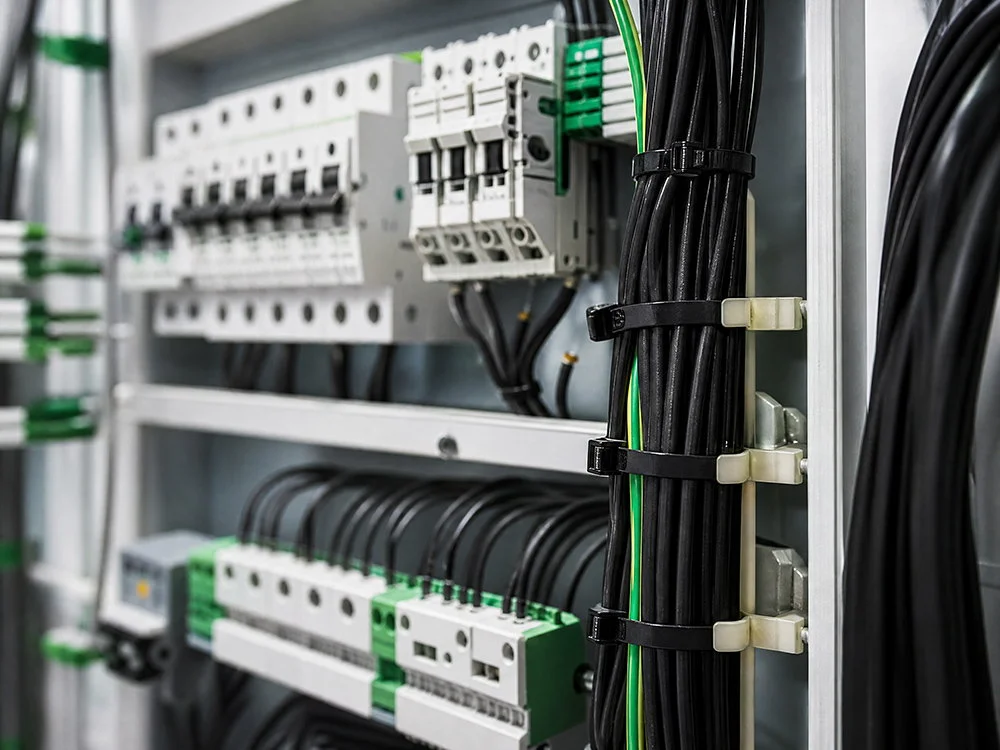
- Two vertical cable managers occupying the full height on the sides of the cabinet must include at least 4 in (100 mm) channel. One side of the cabinet will hold data cables, while the other – power cables.
- One 1U horizontal cable management system must hold the patch panel or one 2U system in the case with a high cord density. The segment must include brush-strips allowing to handle cords without causing damage to them.
- Fastening straps must be placed in front of the entire patch panel, while all cords and connectors that can reach without removing the server must be fastened with cable ties behind the rails and tightened by hands so that the wire insulation is snug but not damaged.
- Mountable ties must be installed in the places where cables must be fixed to the frame, while stems should be attached using adhesive or screws, allowing for both mounting cables to the frame and mounting the cord.
- Seal every empty rack unit with a blanking plate and place brush grommets in openings on the top and the bottom of the cabinet.
Step six is the step that people usually miss but which is the cheapest one in the list of tasks. It is important to remember that blanking panels cost very little, while unsealed rack units can lead to higher inlet temperatures.
What It Costs
The prices mentioned below are standard for 2026 bands on consumer goods and hardware for a single rack. Capital items such as trays and full-height managers depend on size and load rating.
| Item | Typical price | Notes |
|---|---|---|
| Nylon cable ties, 100-pack, standard | $3–$8 | 18–50 lb tensile |
| Nylon cable ties, 100-pack, heavy duty | $6–$15 | Up to 175 lb tensile |
| Hook-and-loop straps, 100-pack | $15–$40 | Reusable; cost rises with width |
| Stainless steel ties, 100-pack | $20–$60 | High-temp and UV duty |
| Mountable ties with base, 100-pack | $10–$30 | Screw or adhesive mount |
| 1U horizontal cable manager | $30–$90 | Finger or D-ring |
| Full-height vertical manager | $100–$400 | Depth and width dependent |
| Blanking panels, 1U, 10-pack | $20–$40 | Cheapest airflow fix available |
| Ladder rack, per 10 ft section | $100–$300 | Seismic-rated versions cost more |
The line of consumables is so small that when making an erroneous choice, it is rarely because of cost. A complete set of ties and straps costs as much as a single server, making it necessary to make the decision based on reusability and airflow rather than a matter of unit price.For projects where the tie specification appears in a bill of materials rather than a shopping cart, the volume and material options are set out on the heavy-duty cable tie manufacturing program.
Installation and Maintenance
Proper cable management involves maintaining cables after installation and does not end with the installation process.
- Quarterly visual inspection. Checking for any physical damage, as well as ensuring that no cables have been left unsupported or the cable tray has not become congested and did not fall out of their designated place.
- Annual performance testing. Confirmation that the existing channels still meet the required specifications after any changes in the structure.
- Label audit. ANSI/TIA-606-C states every connection, splice, and termination must have a unique identifier. The label that does not correspond with the record is worse than no label at all.
- Remove redundant cables. Unused patch cables and terminated systems only obstruct airflow.
- Leave 20–30% additional empty space in cable trays so that there will be no need for renovation during the next project.
FAQ
Are zip ties or Velcro better for server racks?
In different locations. Hook-and-loop is ideal for anything that may undergo changes. Patch cords, anything accessible from the front, or any wire bundle on a replacement device will work. Nylon zip ties prove to be more suitable for connections behind the rail where changes in the wires are not expected since they save money and space. If zip ties used everywhere, the result will be cutting of any cables in the future. At the same time, using hook-and-loop everywhere will lead to excess expenses and bulk of cables not touched.
Can you use regular cable ties in a plenum space?
The condition applies only if the tie is plenum-rated. According to the NEC 300.22(C) and Article 800 rules, cabling in-air handling locations should meet the requirement. It should be noted that this includes not just the cable, but all parts of the assembly. A common nylon tie is not able to be regarded as a good option for such areas, and the one that is both flame-resistant and suited for plenum applications is required. Always check the listing, not the material used for the construction of the tie.
How tight should a cable tie be on network cable?
It’s necessary to create sufficient tension in the tie so as to allow the cables to stay together, but also not too much so as to compress the jacket, since if any indentations are observed on the tie it means that it is being overly tensioned, which in the case of Cat6A may affect the level of alien cross-talk. When tying cables, just tie by hand until the bundle is firm, and make sure to always use the smallest tie possible so that you won’t have to apply unnecessary pressure.
How far apart should power and data cables be in a rack?
According to ACTI/TIA-942-B and compliance with NEC 800.133(A) regulations, the distance between unshielded copper data wire and power wires must be no less than 3 inches (76 mm) and 6 inches (152 mm) away if the voltage of AC power cables exceeds 480 V. The best way to conform to the outlined regulations is to avoid measuring altogether. A separate vertical cable management should be dedicated to data and another one for power, and it would be logical to use PDUs that could move power cords from one side to another in the enclosure.
Do blanking panels really matter?
Indeed, unsealed rack units are the most cost-effective improvement for airflow. Using unsealed rack units creates a situation where the exhaust air can pass back to the incoming air. The ASHRAE TC 9.9 guidelines indicate that using sealed rack units raises the inlet temperature by anywhere from 5° to 10 °C. Blanking panels cost less than a few dollars, only take seconds to install, and solve the same problem for which fancy cable management is frequently used.
References
- ASHRAE Technical Committee 9.9 — Mission Critical Facilities, Data Centers, Technology Spaces and Electronic Equipment
- ASHRAE — Datacom Series, thermal guidelines for data processing environments
- NFPA — NFPA 70 National Electrical Code (Article 300.22, Article 800)
- Telecommunications Industry Association — ANSI/TIA-942 and ANSI/TIA-568 standards
- BICSI — information and communications technology design standards
- Panduit — physical infrastructure and cable management reference
- Chatsworth Products — rack and cabinet cable pathway design guidance
Conclusion
Managing wires in server racks is important for keeping the equipment cool and safe. Having a lot of wire around hinders the proper airflow through the ribs of the server. Additionally, losing a patch cord will cost you 20 minutes of an unrecoverable job on changing the server around.
There are three aspects to pay attention to. Always make sure that the apparent data is separated from the power to let you skip the rigmarole of measuring the 3 inches of clearance again. It can be done with vertical managers on two sides and double PDUs. In addition, use velcro to fixate cables on the front side, and ties — in the rear.
Putting the wires in a loose manner, but without compressing them too much also saves you some frustration of crosstalk.


